Residential proxy GB
Use purchased residential data, search available countries and locations, and connect through a selected residential route from macOS.
Manage residential proxy GB, synchronized static lease IPs, and your own manual proxy profiles from a focused macOS desktop app. Choose a location, apply a supported system proxy route, and confirm the connection details before you browse or work.
PreProx Proxy Manager brings residential proxy data, static lease IPs, and manual proxy profiles into one macOS workflow. Sign in to synchronize eligible PreProx access, search supported residential locations, choose a connection default, and keep the active route visible without repeatedly editing network settings by hand.
Use purchased residential data, search available countries and locations, and connect through a selected residential route from macOS.
Search the location hierarchy, expand countries, and choose an available state or city when the residential network supports that target.
Sign in to synchronize eligible mobile and WiFi lease IPs, then connect from the Static Lease section without copying credentials manually.
Add and save your own authorized HTTP, HTTPS, SOCKS5, or SOCKS4 connection details for faster desktop switching.
Use PreProx login, optional Security PIN verification, and synchronized account data in the same desktop experience.
Use the session settings supported by your eligible residential product and app version. Open the web dashboard for current Residential Data rotation and sticky controls.
Apply the selected HTTP, HTTPS, or SOCKS5 route to enabled macOS network services that honor system proxy settings.
After a new connection, review the detected IP address, country, city, and speed before relying on the route.
Review recent residential sessions, locations, dates, and transferred data from the desktop History section.
Use the macOS connection settings and supported browser privacy controls while a verified proxy route is active.
Switch between Residential, Static Lease, and Manual Proxies without leaving the macOS app. Only one proxy source is active at a time, which keeps the system route predictable.
Use eligible residential GB and search available countries, states, and cities. Session settings depend on the residential product and installed app version.
Sign in to synchronize eligible active mobile and WiFi lease IPs, then connect from the Static Lease section while the lease is available.
Create reusable profiles for compatible proxy servers you control. Manual setup works without purchasing a PreProx proxy product.
The macOS dashboard keeps the selected source, target location, proxy protocol, session mode, and connection state visible. After a successful connection, the app can show the detected exit IP, country, city, and speed so you can verify the route before starting a location-sensitive task.
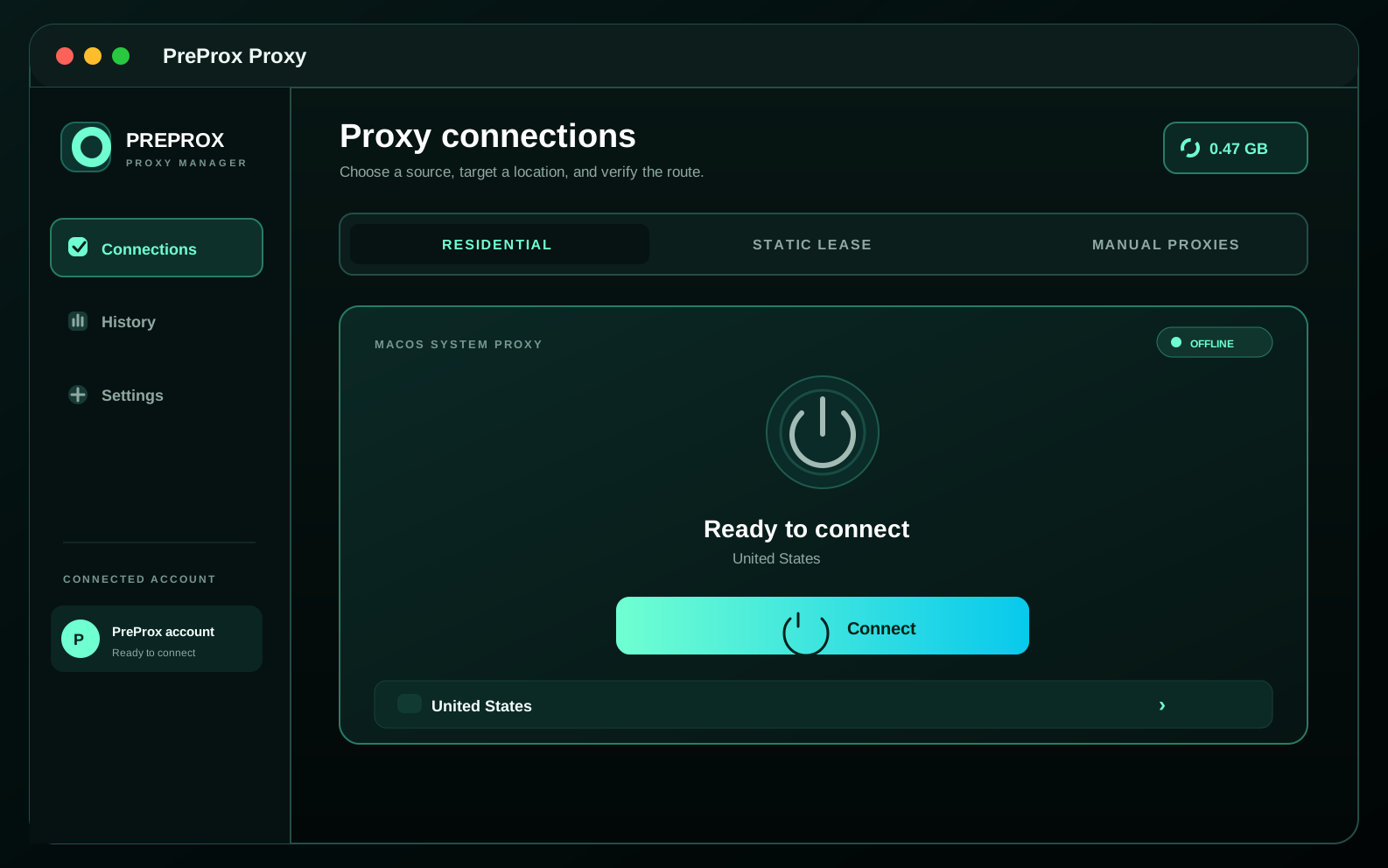
Download the official DMG, install the app, sign in or add a manual profile, then approve the first administrator request used to change macOS proxy settings.
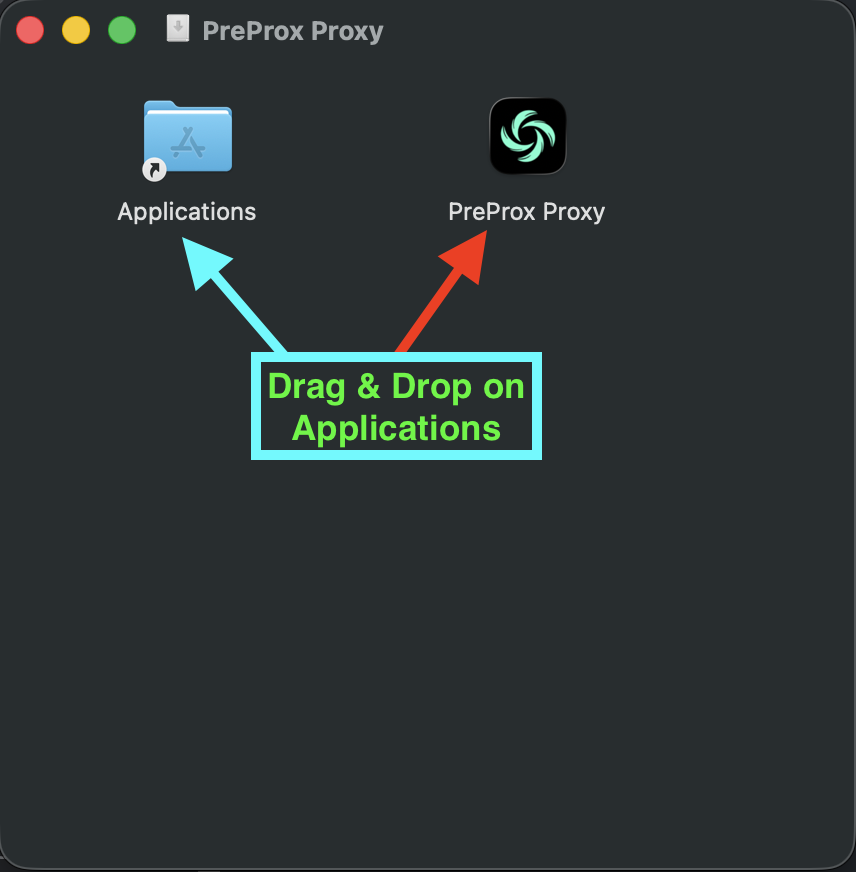
Download the official PreProx DMG, open it, and drag PreProx Proxy into the Applications folder.
Sign in to synchronize eligible residential data and static leases, or open Manual Proxies to add an endpoint you are authorized to use.
Open Residential, Static Lease, or Manual Proxies and select the location or saved profile you want macOS to use.
Approve the macOS administrator request when prompted, connect, and review the detected IP and location before continuing.
Follow these two macOS-specific installation steps after downloading the official DMG. Then finish onboarding and choose whether to use PreProx with an account or continue with manual proxies.
Open the downloaded DMG and drag PreProx Proxy into Applications. When the installer window offers Done or Move to Trash, choose Done after the copy finishes, then close or eject the DMG.
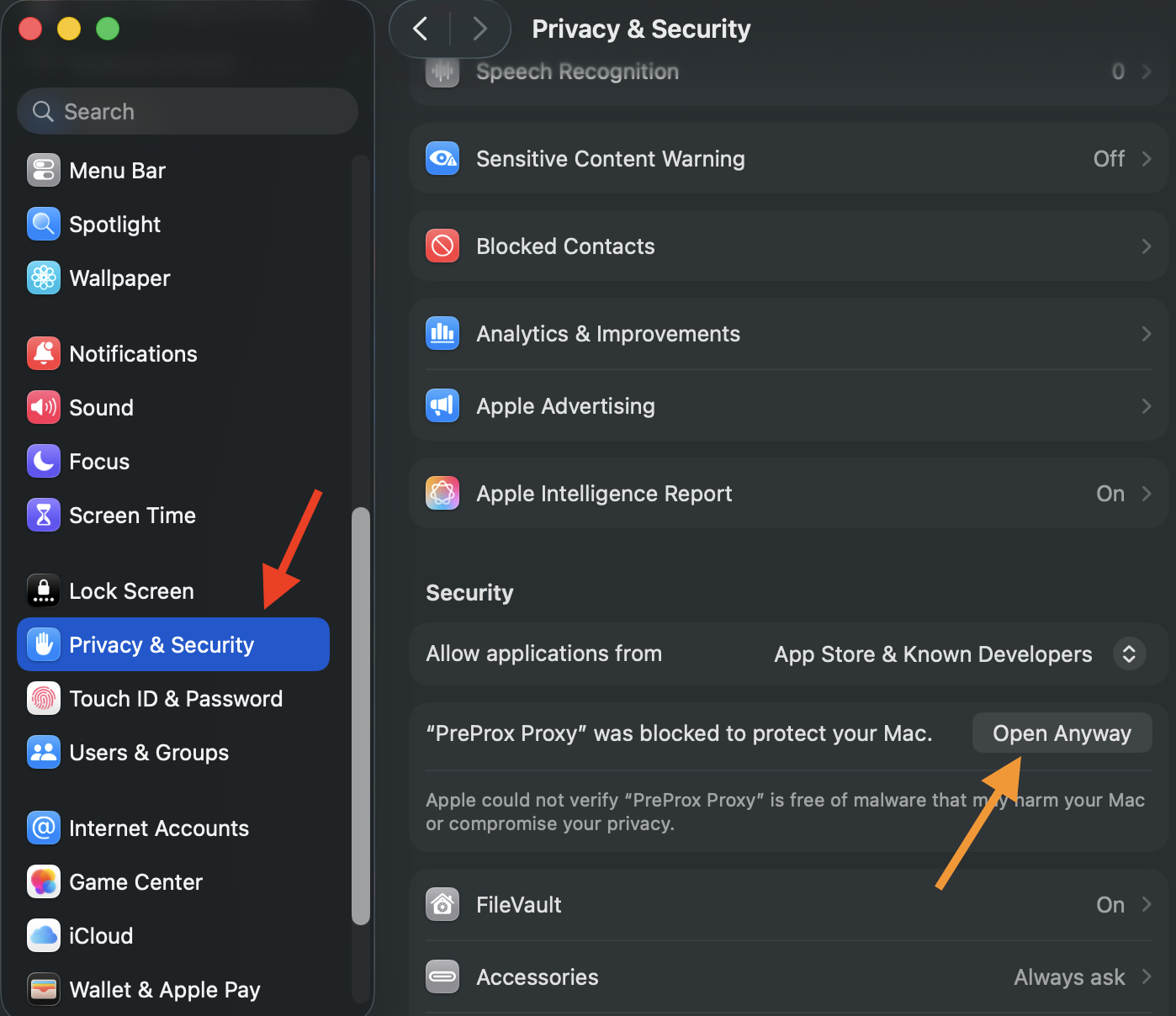
If macOS blocks the first launch, open System Settings, choose Privacy & Security, find the PreProx Proxy message, and click Open Anyway. Confirm only when the DMG came from the official PreProx website.
These details describe the current product and distinguish the connection manager from the proxy access used with it.
Compare residential access, static leases, or verify the connection after setup.
Each product has its own official installation page, requirements, and setup guidance.
Installation, compatibility, proxy access, and account requirements explained directly.
Use the verified destination below and review the current permissions or installation prompt before continuing.